Surveillance is becoming more than a record of events; it identifies human actions, tracks the behavior, turns lights on, gives alerts, and assists in locating the important event without having to view hours of video. The new system has different potential problems; an effective alert can reduce the time to respond, while an ineffective detection policy can create too many alerts for the user’s phone or not recognize the right one.
Why Video Surveillance in 2026 Is No Longer Just Recording
From Recorded Evidence to Automated Events
A traditional camera creates evidence for later review. An AI-enabled camera also acts before a person watches the video: it may classify movement, start tracking, switch lighting modes, mark a clip, or send an alert. This can reduce review time across several locations.
The same feature can produce different results at two sites. A warehouse aisle has predictable movement, while a parking entrance may have rain, headlights, shadows, and people crossing at several distances. The important question is not whether a device carries an AI description. It is whether the device produces repeatable events under the site’s real lighting, network, mounting, and traffic conditions.
Detection Errors Can Become Business Costs
False Alerts, Missed Events, and Tracking Recovery
False alerts are more than an annoyance. If staff receive repeated messages caused by insects, branches, rain, or vehicle lights, they may silence notifications. A later event can pass without attention. Missed detection creates the opposite problem: relevant movement never reaches the event list.
Sample testing should include people walking across the frame, approaching the camera, leaving the target zone, and partially passing behind vehicles or shelving. Repeat the route in daylight, backlight, and low light. Record the alert delay and compare the marked clip with the full recording rather than judging only the live view.
Tracking also needs an end condition. After a PTZ camera follows a person, check whether it returns to the intended overview and how long that takes. A lens that remains pointed at an empty corner can leave the main entrance outside the view.
Human review remains necessary for decisions with operational consequences. Automated detection is best treated as a filter that directs attention, not as a final judgment about what happened.
The Camera Is Only One Part of the Risk
Storage, Account Access, and Offline Behavior
AI video may pass through the camera, a local card, a recorder, a mobile app, or cloud storage. Each route changes retention and access. Buyers should map where footage is stored, who can view it, how old video is removed, and what continues during an internet outage.
Firmware, App Versions, and Batch Consistency
Software risk appears after the sample has passed. A later firmware release can change pairing steps, notification timing, menu labels, or feature availability. A new app version may behave differently on the phones used by installers or customers. Those changes can turn a stable sample into a support problem.
For bulk purchasing, record the approved firmware, app version, detection settings, lens, storage behavior, adapter, antenna, bracket, and included accessories. Recheck a production sample before shipment. If a substitution is necessary, test it against the same event routes before accepting the change.
Service planning matters too. Ask how a device is reset, how shared access is removed, whether older units receive compatible updates, and what support staff need for remote diagnosis. Otherwise, installers may replace working hardware for a software or account issue.
Scene Conditions Can Change AI Performance
Night Lighting, Mounting Position, Weather, and Network Quality
Night scenes expose weaknesses that are easy to miss on a sales bench. Infrared light can reflect from walls, eaves, glass, rain, or insects close to the lens. White lighting may improve color detail but disturb nearby users. Test moving people in dark clothing, wet ground, and bright vehicle lights at the intended mounting height.
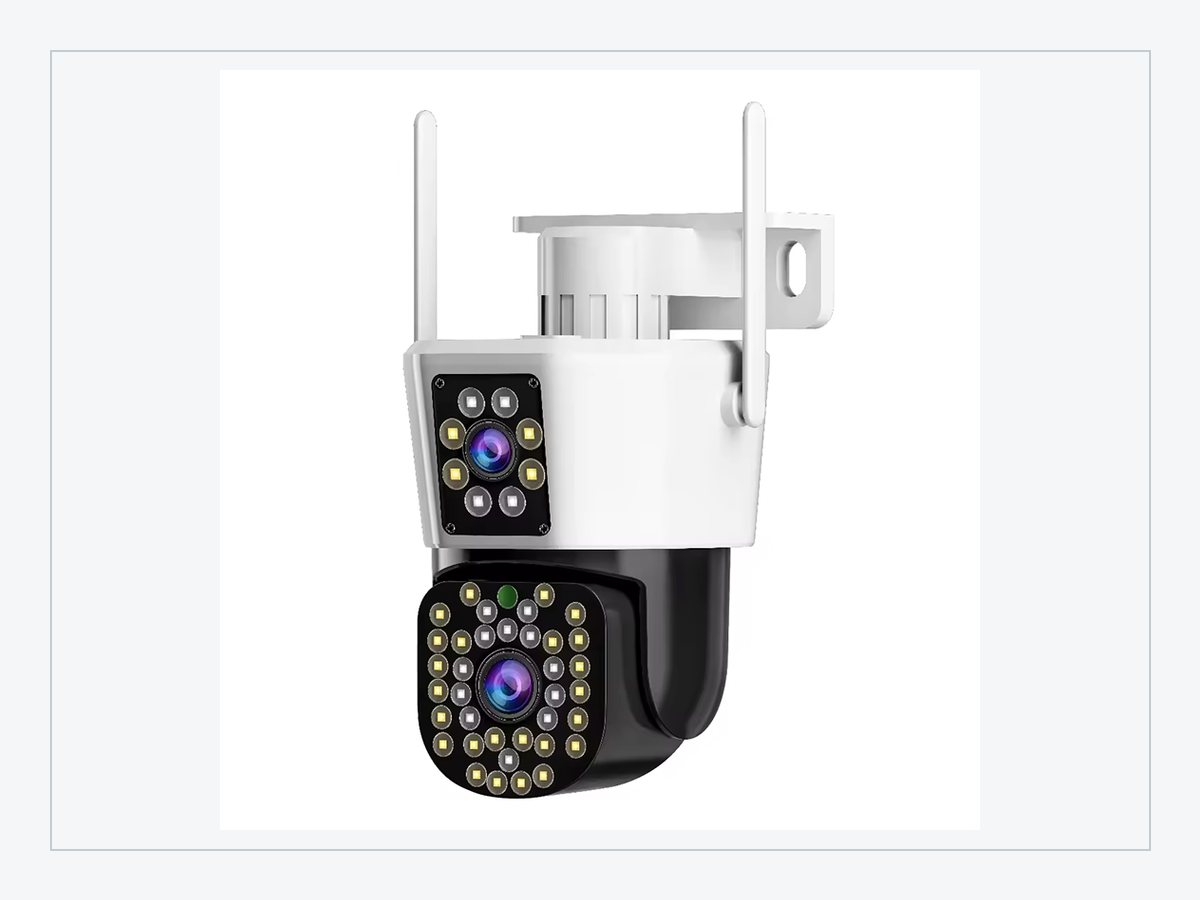
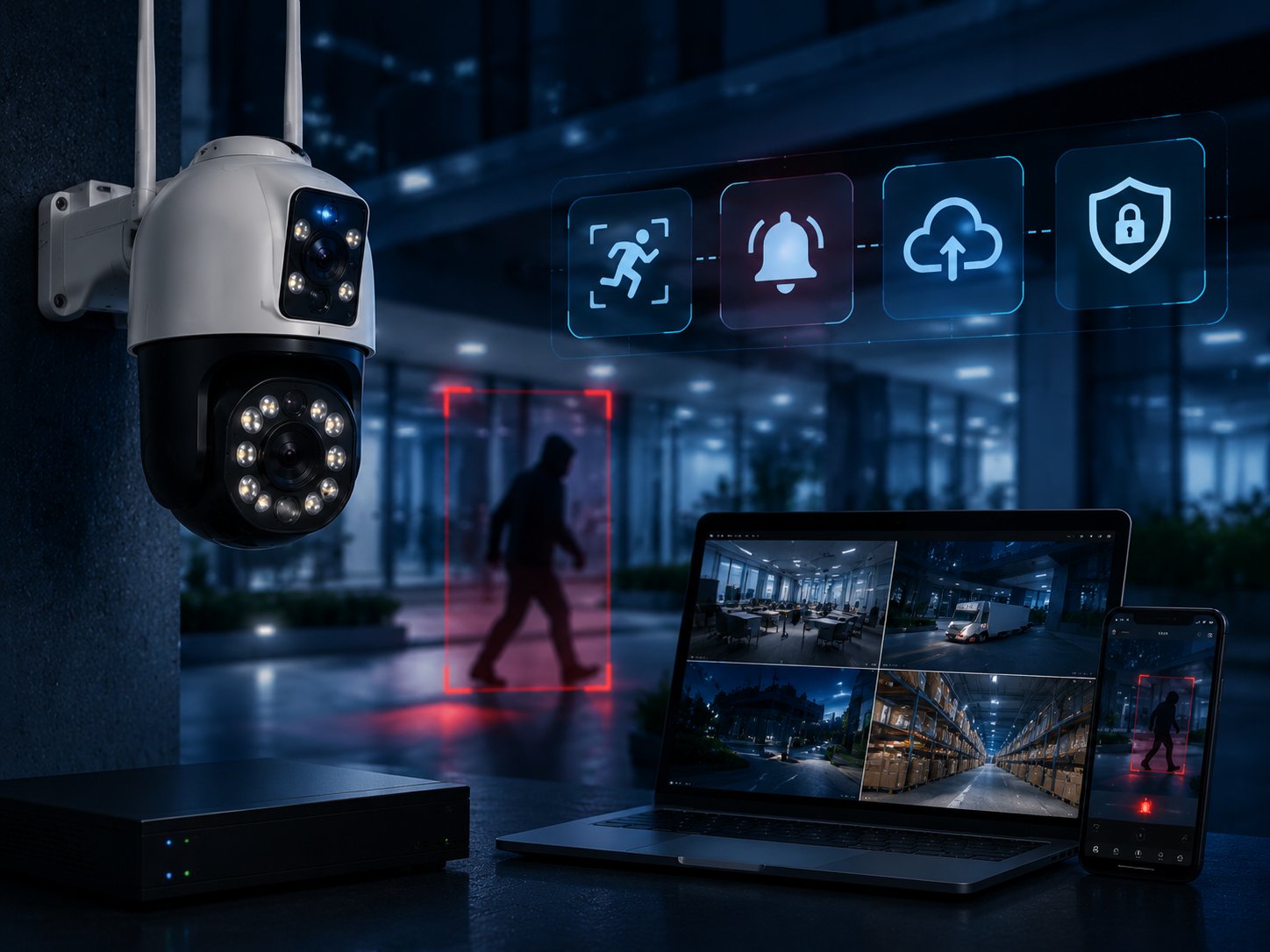
The JT-8293QJ dual-lens PTZ camera combines two views, PTZ movement, human tracking, 2.4 GHz WiFi, RJ45, H.265, local card capacity up to 256 GB, and cloud storage. For a gate or yard, buyers should test whether the fixed and moving views cover the same priority area, whether the bracket stays rigid, and whether both streams remain usable at night.
Weak WiFi can delay live viewing, clip playback, account sharing, or notifications even when detection runs near the camera. Test at the planned distance with doors closed and normal network traffic. A bench test beside the router proves very little.
Outdoor mounting adds physical variables. Check cable seals, antenna position, screw completeness, drainage direction, and access for card replacement. A detection feature cannot compensate for water entry, a loose bracket, or a lens aimed through reflective glass.
A Risk-Based Sample Test Before Bulk Purchasing
Test the Complete Event Journey
Start with a written event: for example, a person crossing a warehouse entrance after closing time. Then follow the complete journey from detection to alert, live view, stored clip, playback, download, account sharing, and recovery after a network interruption. Record what worked, what failed, and how many steps the user needed.
Run the same route on several units. One strong sample does not prove repeatability. Pair multiple cameras to the same app, rename them, share access with another account, remove that access, and reset one unit. These ordinary tasks often create more distributor support work than image quality questions.
Freeze the Approved Configuration Before Production
The approval record should include hardware, firmware, app, detection settings, storage method, accessories, labels, manual language, packaging, and test results. Photos of the approved carton contents help receiving teams spot missing screws, brackets, antennas, or adapters before units reach installers.
For private-label orders,Jortan OEM and ODM services can be discussed alongside startup screens, packaging artwork, software requirements, inspection points, and replacement parts. Each requested change needs its own sample check. A packaging update should not quietly introduce a different adapter or instruction set.
Agree on later support before shipment. Buyers need to know how firmware issues are reported, whether replacement accessories can be supplied, and how batch records identify the shipped configuration. Otherwise, one service case can become an expensive search across several versions.
Applying the Evaluation to Jortan Camera Projects
Product and Service Points That Buyers Should Verify
Different sites need different risk checks. The dual-lens JT-8293QJ suits projects that need a broad view and movable detail, but both streams, tracking return, night reflection, local storage, and wired or wireless access should be tested together. A sharp product photo cannot answer those questions.
For smaller wireless sites, the JTZ-160B PTZ camera combines 2.4 GHz connectivity, H.265, human tracking, cloud storage, and local card capacity up to 128 GB. Buyers should compare those functions with router placement, retention needs, mounting access, and the service ability of the local channel.
Approve a complete operating package, not only a camera body. Include the app process, storage path, detection settings, accessories, documentation, and support route. Stable details make training and later issue handling easier.
Final Recommendation: Buy Measured Behavior, Not an AI Label
AI surveillance risks are manageable when buyers turn feature claims into repeatable site tests. Define the event, test difficult conditions, map data access, record software versions, and freeze the approved configuration before production. The result is easier installation, fewer false alerts, and clearer responsibility when a problem appears.
For samples, model selection, software requirements, or project-specific testing, contact Jortan with the mounting environment, network conditions, target events, and storage plan.
FAQ
Q1: What are the main AI surveillance risks for business projects?
A1: The main risks are false alerts, missed events, unsuitable account access, unclear retention, software changes, weak connectivity, and inconsistent production settings. Each one can add installation work, delayed response, returns, or later support costs.
Q2: How should buyers test an AI security camera sample?
A2: Use repeatable movement routes in daylight, backlight, and night conditions. Check detection, alert delay, tracking recovery, playback, account sharing, offline recording, and recovery after the network returns. Repeat the test on more than one unit.
Q3: What should businesses confirm with Jortan before a bulk or OEM order?
A3: Confirm the camera model, lens, firmware, app version, detection settings, storage, accessories, labels, manual, packaging, inspection points, replacement parts, and later software support. Keep the approved sample and test record as the production reference.