
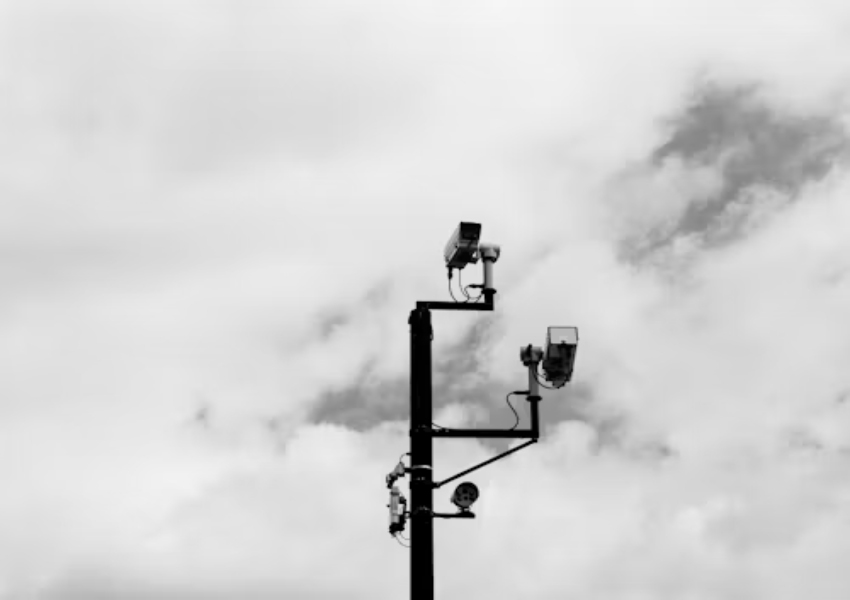
The number of cameras quoted for a project can often hide an important design issue—the number of views required from each mounting position. A good comparison between models such as the JT-9687PRO and JT-9999PRO is provided by a dual-lens versus three-lens configuration, but more information is required than just the number of lenses. The integrator needs to know if one camera can provide the same views as two static cameras and also if a moving view will create any evidence gaps. A good comparison needs to start with a view of the scene to be recorded. This includes approach direction, target size, movement, lighting, method of recording, and the position of the operator viewing the recorded footage. The product names set the models for comparison. Still the exact delivered lens arrangement, sensor, focal lengths, and simultaneous-stream behavior need careful confirmation. They must be checked against the current datasheets and sample. This careful approach keeps a cost discussion based on real system performance instead of a headline feature.
Count Views, Not Lenses
This article refers to a dual-lens camera or a three-lens camera. However, there can be more than one lens, each of which can be fixed, adjustable, or even equipped with a motorized head. The number of sensors, the number of streams, and whether all views are recorded at the same time are key factors in the end result. Each lens would be helpful to clearly mark on the supplier’s drawings of the scene view that lens is taking, its resolution, focal length, and which stream it is recording. A scene-to-lens schedule would form a good starting point to compare the different lenses. A single scene, such as a doorway, a loading bay, or the corner of a yard, would be used as a basis. All the views required for that scene, together with the relevant distance, amount of movement, etc., and height of mounting, would be listed and then matched up with the relevant part of the schedule using the appropriate lens. A wide view is useful for providing a lot of context. However, a wide-angle view is often not suitable for reading written text or trying to identify individuals.
Another view would only be of use if it contains information not contained in the first view. In terms of movement, a PTZ head allows for views to be redirected. However, a single moving lens will not be able to provide views of all different directions. However, a fixed lens will provide the same view while another lens moves. The model must be able to support this arrangement. Check the unit to verify this. Open all streams, move the head through its range, trigger an event, and play the recorded channels together. Do not infer simultaneous operation from an exterior product image.
Compare the Two Models in a Live Scene
We compare here the delivered versions of the JT-9687PRO dual-lens model and JT-9999PRO multi-lens model. The parameter set of the JT-9687PRO includes a 4MP lens, a 3.6 mm lens, 2.4 GHz WiFi, a DC 12V power supply, and IR night vision. The marketing copy talks of a dual lens model, but the FAQ states that there is no zoom. The parameter set of the JT-9999PRO lists three focal lengths (3.6 mm + 6 mm + 6 mm), an 8x zoom, a 355° pan, a 90° tilt, and 2.4 GHz WiFi. The title and the parameter set of the JT-9999PRO mix terms for dual-lens models and three-lens models. This is an RFQ question: How many sensors, optical paths, and recorded views are delivered in one shipment?
In order to test fairly, the test has to be conducted from the same mounting point, with the same light, on the same network, with the same recording device and viewed on the same screen. So test the near edge, the far edge, and a person moving across the field of view of the camera. Go towards the camera and then across it. Test the nighttime vision with the different light modes. The playback of the exported clips may uncover limitations of the stream or channel that are not apparent from the live view on a phone.
A compact scorecard should capture field coverage, useful pixel detail at the target, blind areas during movement, independent recording channels, app/NVR compatibility, power and cabling, installation time, and service access. Record a pass condition for each item before the demonstration. For project-specific decisions send the site sketch and channel requirements with a request for a model configuration review. That gives the supplier enough context to answer whether either model fits the scene. It also shows what needs confirmation and whether a separate fixed camera is still required. The recommendation should identify trade-offs as clearly as it identifies savings.
Put Total Installed Cost Beside Coverage
A multi-lens unit may reduce brackets, cable routes, switch ports, and service visits when its views genuinely replace separate devices. It can also concentrate risk. One power failure, network fault, or damaged mounting point may remove several views together. Count the cost of the recorder channels, licenses, storage, and replacement stock as well as the camera itself. A lower unit count does not automatically mean a lower project bill.
For expansion projects review how each stream appears in the selected NVR, VMS, or mobile app. Some systems treat each lens as a separate channel. Others expose a combined view or limit certain functions. Confirm channel consumption, event behavior, playback, export, and firmware support before quoting. If the camera requires a dedicated app for setup then include the installer’s handover process and the customer’s support route.
The same check applies to spare parts. Ask whether lenses, brackets, antennas, power adapters, or motor assemblies are replaceable separately. Also ask whether the model is expected to remain available through the project period. Jortan‘s camera manufacturing range can be discussed in terms of the required view, recording path, and repeat-order plan. The business case should remain tied to a tested bill of materials and not just the word multi-lens.
Make Approval Depend on Evidence
A buyer-side comparison record is a useful unique asset when supplier test reports are not yet available. Attach the approved sample’s model label, hardware revision, firmware version, lens map, screenshots from each view, NVR channel map, and exported night/day clips. Add a change-control field so a substituted lens, board, or firmware build cannot pass as the same approved configuration without review.
The quotation should separate confirmed features from open items. Confirm lens count, fixed or motorized behavior, sensor and resolution per view, simultaneous recording, night-light behavior, storage support, and compatible recorder versions. Request measured coverage from the intended mounting height where the application is sensitive. A drawing is useful but it is not a substitute for footage from the actual sample.
Conclusion
Choose between the JT-9687PRO and JT-9999PRO by the recorded views the project needs and not by lens count alone. A marked lens map, live scene test, NVR playback check, and written configuration record will show whether the extra view reduces device count without creating a blind spot or a support burden. Keep unverified model details open until the delivered sample and datasheet agree.
FAQ
Q1: Can a three-lens camera replace three separate cameras?
A1: Not automatically. Lens direction, stream concurrency, pixel detail, recorder channel use, and single-point failure risk all affect whether separate cameras can be removed.
Q2: Does a PTZ lens record every direction at once?
A2: A moving lens only records the direction it is facing at a given moment. Confirm whether the model has fixed companion views and verify concurrent recording on the intended recorder.
Q3: What should distributors request for these two models?
A3: Request current datasheets, a lens and stream map, firmware and hardware revision, night samples, recorder compatibility, storage behavior, and a written change record for the approved configuration.








