Las cámaras de seguridad sin cuotas mensuales resultan atractivas para minoristas, pequeños almacenes, administradores de propiedades y distribuidores que atienden a clientes sensibles al precio. Sin embargo, la ausencia de suscripción no debe venderse como gratuidad. Un sistema de seguridad con almacenamiento local sigue requiriendo cámaras, soportes de almacenamiento, capacidad de grabación, alimentación eléctrica, instalación, reemplazo de discos duros y soporte técnico. La ventaja radica en que el comprador tiene un control más directo sobre la retención, la reproducción y los gastos recurrentes en la nube.
Qué incluye realmente el almacenamiento local
microSD funciona para puntos de borde pequeños
El almacenamiento local puede significar varias cosas: tarjeta Micro SD o TF dentro de la cámara, un NVR con discos duros, almacenamiento DVR, NAS, almacenamiento perimetral o una ruta de PC/VMS. Jortan incluye almacenamiento en la nube, almacenamiento local en tarjeta SD, almacenamiento NVR, almacenamiento NAS, almacenamiento perimetral y software de administración basado en PC como opciones de almacenamiento. Un dispositivo compacto como el 8185XM cámara inalámbrica Resulta útil para analizar el almacenamiento perimetral, ya que su catálogo de productos incluye compresión H.265, vídeo 1080p, activación por sensor PIR, compatibilidad con tarjetas Micro SD de hasta 128 GB, almacenamiento en la nube, grabación local en tarjeta, comunicación bidireccional, certificación IP66 y funcionamiento con batería de bajo consumo. Este tipo de dispositivo puede ser adecuado para una entrada pequeña, un punto de acceso temporal o una cámara complementaria, pero aún se deben realizar pruebas sobre la durabilidad de la tarjeta y su comportamiento ante la sobrescritura.
Los sistemas NVR se adaptan a emplazamientos con múltiples cámaras.
Para tiendas, oficinas, almacenes y proyectos multicámara, una paquete de monitoreo El sistema NVR centraliza las grabaciones. Esto facilita la gestión de la reproducción, la retención, los permisos de usuario y la exportación de pruebas, en comparación con la necesidad de extraer las tarjetas de cada dispositivo. Además, implica que el ancho de banda, el tamaño del disco duro, el número de canales y la compatibilidad con códecs del grabador deben coincidir con los de la línea de cámaras.
Cómo planificar la capacidad sin conjeturas
Solicite datos sobre la tasa de bits y la retención probadas.
La capacidad de almacenamiento depende de la resolución, la velocidad de fotogramas, la tasa de bits, la compresión, el nivel de movimiento, el programa de grabación y los días de retención. Una habitación tranquila no consume tanto almacenamiento como una puerta concurrida por la noche. Solicite una tasa de bits promedio y máxima probada, y calcule la retención a partir de la muestra en lugar de basarse en el titular de un folleto. Una estructura simple funciona bien: almacenamiento diario por cámara x número de cámaras x días de retención, más un margen para escenas con mucho movimiento y formateo del disco. La grabación de eventos puede reducir el volumen, pero solo si se ajustan las áreas de activación y la sensibilidad. La grabación continua es más fácil de explicar, pero puede requerir un disco duro de mayor capacidad.
La reproducción y la exportación también importan.
Un sistema local solo es útil si la reproducción y la exportación funcionan después de la instalación. Pruebe la interfaz de usuario de la grabadora, los permisos de la cuenta, la regla de sobrescritura y el proceso de exportación de vídeo antes de aprobar la compilación. Esto es más importante que un eslogan publicitario de "gratis".
Donde los sistemas sin suscripción todavía cuestan dinero
Los costes recurrentes no desaparecen.
Un sistema de seguridad sin suscripción evita los cargos recurrentes por almacenamiento en la nube, pero no todos los costos futuros. Los discos duros envejecen. Las tarjetas microSD tienen límites de escritura. Los adaptadores de corriente fallan. Los ventiladores acumulan polvo. Los extremos de los cables exteriores necesitan protección. El firmware y la compatibilidad con aplicaciones siguen siendo importantes. Si un comprador espera visualización remota, la carga de banda ancha y la administración de la cuenta siguen siendo necesarias.
Un ejemplo de sistema ayuda a los compradores a evaluar la relación costo-beneficio.
Un cable 8906ZL3-8 Cámaras de seguridad sistema de cámara Puede servir como ejemplo de sistema para que los compradores comparen un sistema de videovigilancia de 8 canales, cámaras IP con codificación H.265, opciones de almacenamiento NVR/nube/tarjeta SD, visión nocturna, audio bidireccional, diseño resistente al agua y seguimiento de movimiento. La pregunta clave para la adquisición no es si el almacenamiento local es más económico inicialmente, sino si la reproducción, la exportación, la sobrescritura y el mantenimiento se mantienen predecibles después de la instalación.
Almacenamiento local frente a almacenamiento en la nube: cómo encontrar el equilibrio adecuado.
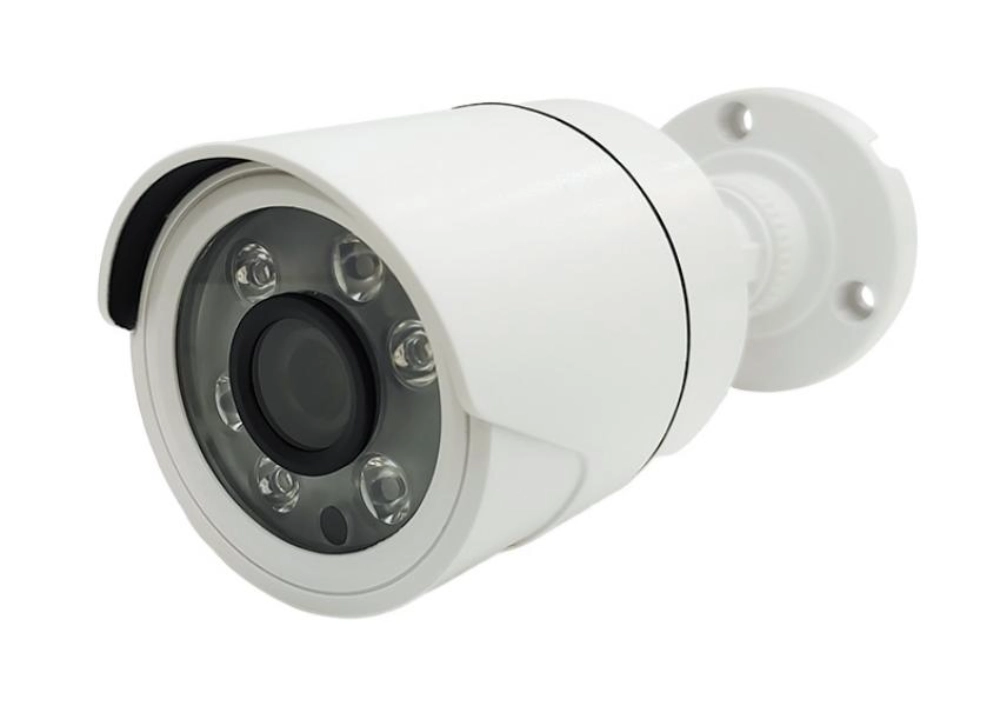
La elección entre almacenamiento local y almacenamiento en la nube depende de cómo los compradores deseen gestionar el material grabado, acceder a las grabaciones y controlar los costes operativos. Un sistema de almacenamiento local proporciona la propiedad directa de los archivos grabados y evita las tarifas recurrentes de la nube, mientras que el almacenamiento en la nube facilita el acceso remoto y ofrece protección fuera de las instalaciones.
Para pequeñas empresas, tiendas minoristas y viviendas, el almacenamiento local suele ser suficiente cuando el principal requisito es grabar y revisar las imágenes después de un evento. Las cámaras con tarjetas Micro SD o los sistemas con almacenamiento NVR permiten a los usuarios gestionar los periodos de retención, reemplazar los dispositivos de almacenamiento y conservar las grabaciones en sus propios equipos.
El almacenamiento en la nube resulta más útil cuando los usuarios necesitan acceso desde múltiples ubicaciones, copias de seguridad automáticas o protección contra daños físicos en los equipos locales. Sin embargo, los planes en la nube implican costos de suscripción recurrentes y requieren una conexión a internet estable para subir el material grabado.
Muchas instalaciones profesionales utilizan un enfoque híbrido. Los vídeos de rutina se almacenan localmente para controlar los costes, mientras que los eventos de movimiento importantes o las grabaciones de alarmas se respaldan de forma remota. Este equilibrio facilita a los clientes el acceso a las grabaciones críticas sin que cada minuto de vídeo dependa de un plan de servicio mensual.
Antes de seleccionar un método de almacenamiento, los compradores deben evaluar la ubicación, la cantidad de cámaras, el tiempo de retención requerido, los requisitos de privacidad y el proceso de mantenimiento previsto. El mejor sistema no siempre es el de menor costo mensual, sino el que proporciona evidencia confiable cuando se necesita.
Privacidad, copias de seguridad y verificación de proveedores
El almacenamiento local necesita gobernanza.
El almacenamiento local puede mejorar la independencia de la cuenta, pero no es intrínsecamente a prueba de robos ni automáticamente más seguro. Un grabador robado, un disco duro averiado, una contraseña débil o una cuenta de usuario mal gestionada aún pueden provocar pérdidas. En ubicaciones de alto riesgo, el almacenamiento híbrido puede mantener las grabaciones rutinarias localmente mientras se copian los eventos seleccionados fuera de las instalaciones.
El comportamiento repetible de los lotes es importante.
La experiencia de Jortan en fabricación es importante cuando los compradores necesitan un comportamiento repetible del producto en todos los lotes: producción en fábrica, trabajo de moldes, moldeo por inyección, ensamblaje, primera y segunda prueba, empaquetado, personalización de logotipo, personalización de apariencia, personalización de la aplicación y diseño de empaque. Para sistemas de almacenamiento local de marca propia, OEM/ODM soporte de cámara Debe abarcar la compatibilidad de la unidad, la compatibilidad de la tarjeta, los valores predeterminados del firmware, las instrucciones impresas, los accesorios de reemplazo y la gestión de la garantía. El enfoque más amplio Jen el centro De esta forma, se puede ofrecer una gama de productos escalonada en lugar de un único producto "gratuito".
Conclusión
Las cámaras de seguridad sin cuotas mensuales son una buena opción cuando los compradores buscan una propiedad predecible y menor dependencia de las suscripciones en la nube. El diseño aún requiere un plan de almacenamiento real: capacidad de la tarjeta o NVR, días de retención, comportamiento de sobrescritura, copias de seguridad, alimentación, acceso remoto y mantenimiento. Un sistema de almacenamiento local es más eficaz cuando se vende honestamente como una opción con un menor coste recurrente, no como una promesa de seguridad gratuita o sin riesgos.
Preguntas frecuentes
P1: ¿Las cámaras de seguridad sin cuotas mensuales son realmente gratuitas después de la compra?
A1: No. Evitan las tarifas de suscripción a la nube, pero los compradores siguen pagando por el hardware, los medios de almacenamiento, la energía, la instalación, el mantenimiento, el reemplazo del disco duro y el soporte.
P2: ¿Es suficiente el almacenamiento en tarjeta microSD para un sistema de seguridad empresarial?
A2: Puede funcionar para puntos pequeños o complementarios. Los sitios comerciales con varias cámaras generalmente necesitan NVR, DVR, NAS o almacenamiento híbrido para una reproducción y gestión de retención más sencillas.
P3: ¿El almacenamiento local protege las grabaciones de todos los riesgos?
A3: No. El almacenamiento local puede fallar, ser robado o estar mal configurado. Los sitios importantes pueden necesitar copias de seguridad, reglas de permisos de usuario, gestión de contraseñas y procedimientos de exportación probados.