A cámara Un producto puede verse bien en la ficha técnica, pero decepcionar tras su instalación. El problema suele surgir cuando la gente se mueve por un almacén, un vehículo pasa por una puerta o una escena nocturna se llena de ruido digital. La velocidad de fotogramas y la tasa de bits influyen en estos resultados, por lo que ambas merecen atención antes de incluir un modelo en un presupuesto o en una gama de marca blanca.
Velocidad de fotogramas: Cantidad de movimiento que registra la cámara
Qué significa la velocidad de fotogramas en un sistema operativo
La velocidad de fotogramas es la cantidad de fotogramas de vídeo que se capturan o muestran por segundo. Se mide en fotogramas por segundo (fps). A 12 fps, la cámara graba doce imágenes distintas por segundo; a 30 fps, graba treinta. Un mayor número de fotogramas suele dar como resultado un movimiento más fluido y ofrece al grabador más momentos para elegir cuando un comprador revisa un incidente.
Eso no significa que 30 fps sea la solución ideal para todos los proyectos. Oficinas, hogares y pequeños comercios suelen tener un movimiento moderado, mientras que las puertas de almacenes, los muelles de carga y las entradas de vehículos generan escenas más exigentes. El tráfico es un caso aparte. Un vehículo a gran velocidad o una matrícula que cruza el campo de visión pueden beneficiarse de una mayor velocidad de fotogramas, que a menudo se acerca a los 60 fps en sistemas especializados.
La elección de la velocidad de fotogramas cambia la demanda de red y almacenamiento.
La velocidad de fotogramas tiene un coste directo. Cuando la resolución y las condiciones de la escena son similares, grabar más fotogramas genera más datos de vídeo. Esto puede aumentar la carga de la conexión ascendente, los requisitos de procesamiento del NVR y el uso diario de almacenamiento. Por lo tanto, un distribuidor que venda la misma configuración a todos los mercados puede generar quejas innecesarias en la red en un mercado y una baja definición de movimiento en otro.
Algunas configuraciones en los datos del proyecto admiten un rango ajustable de 1 a 30 fps. Otros ejemplos utilizan 12 fps para transmisiones de alta resolución, 15 fps para algunas transmisiones de 1920 x 1080 y 20 fps como máximo para Smart H.264. Estos son ejemplos de configuración, no una especificación universal para todas las cámaras.
Tasa de bits: ¿Cuántos datos transporta la imagen?
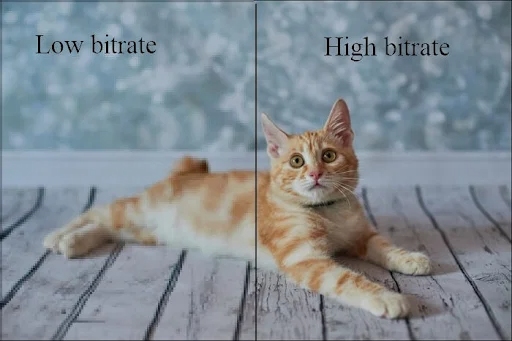
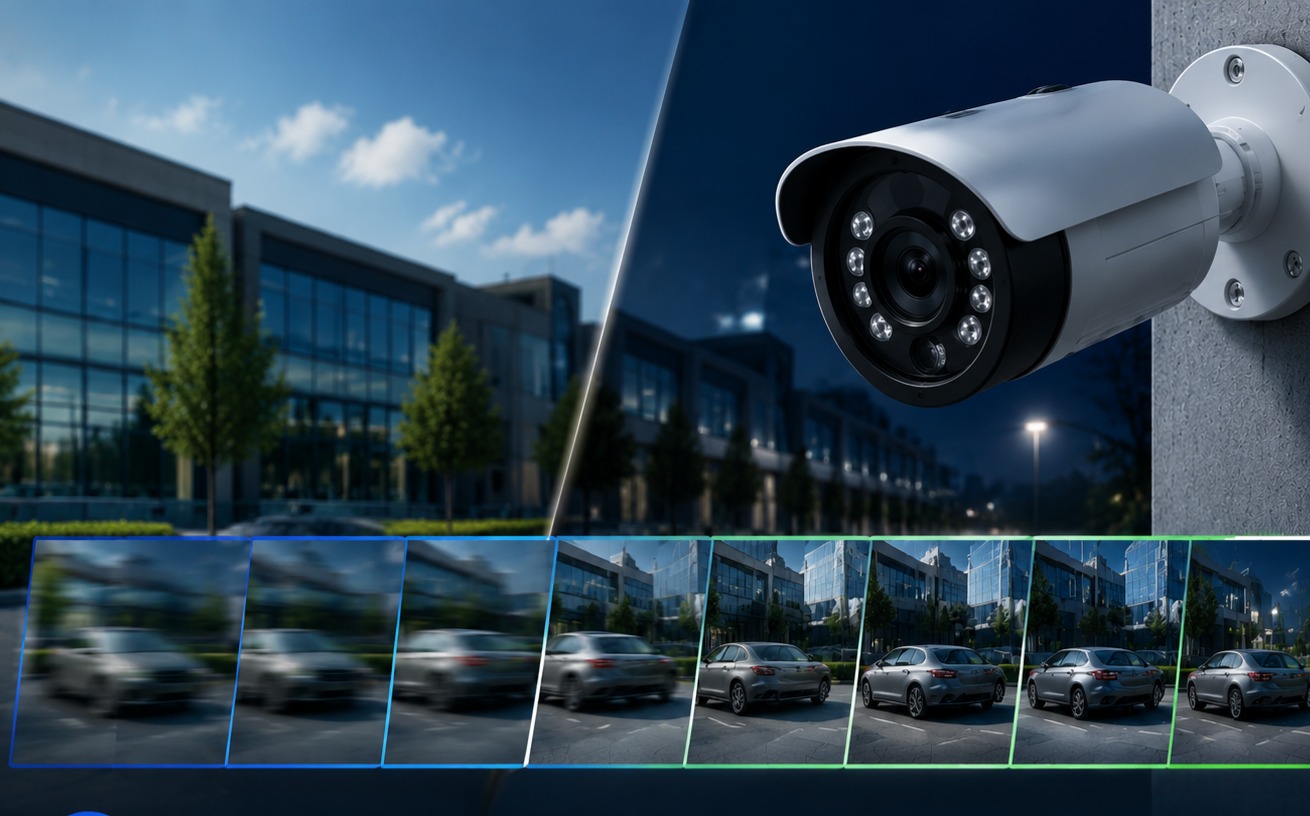
La tasa de bits describe la cantidad de datos de vídeo que se transmiten o almacenan por segundo, normalmente en Mbps. La resolución indica al sistema cuántos píxeles están disponibles; la tasa de bits indica al codificador cuántos datos puede usar para describir esos píxeles. Una imagen de 4 MP con una tasa de bits demasiado baja puede perder detalles finos, especialmente alrededor de rostros, texto, vegetación y objetos en movimiento.
Una tasa de bits más alta permite conservar más detalles, pero también consume más ancho de banda y reduce el tiempo de retención en una unidad de capacidad fija. Una tasa de bits baja puede generar bordes pixelados, imágenes borrosas y pérdida de detalles. Una tasa de bits alta puede sobrecargar un enlace inalámbrico o dejar al NVR con capacidad insuficiente para los días de grabación prometidos. La configuración ideal es la que mejor se adapta a la escena, el codificador y el plan de almacenamiento.
Varios Jordán Las configuraciones ofrecen un rango ajustable de 0,1 a 10 Mbps. Una entrada H.265X independiente indica un rango de 0 a 8 Mbps, pero el límite inferior parece incompleto y debe confirmarse antes de utilizarlo en una cotización. Las entradas Smart H.264 describen un comportamiento de tasa de bits adaptativa, lo que significa que el tráfico real puede variar según el movimiento, la iluminación y la complejidad de la escena.
Por qué se deben comprar los dos parámetros juntos
La velocidad de fotogramas y la tasa de bits responden a preguntas diferentes, pero coinciden en el mismo archivo grabado. La velocidad de fotogramas controla la frecuencia con la que se muestrea la escena. La tasa de bits controla la cantidad de información disponible para esos muestreos. Una velocidad de fotogramas alta combinada con una tasa de bits muy baja puede grabar el movimiento con frecuencia, pero conservar pocos detalles útiles en cada fotograma. Una tasa de bits alta combinada con una velocidad de fotogramas baja puede mostrar detalles en imágenes fijas, pero perder el momento clave entre fotogramas.
La compresión modifica el equilibrio. Generalmente, H.265 se configura con aproximadamente la mitad de la tasa de bits de H.264 para obtener una calidad de imagen similar, aunque el resultado real depende de la iluminación, el movimiento, la configuración del codificador y el dispositivo receptor. H.265AI y Smart H.264 también pueden alterar el comportamiento de la transmisión. La compatibilidad es fundamental, ya que la cámara, el NVR, la aplicación móvil y la plataforma de terceros deben decodificar correctamente el formato seleccionado.
Como ejemplo sencillo de planificación, veinte cámaras a 4 Mbps generan 80 Mbps de tráfico antes de añadir la visualización en directo, la reproducción y otros usuarios. Un conmutador de 100 Mbps no debería planificarse a su velocidad máxima; un rango disponible de aproximadamente 60-70 Mbps es una referencia más práctica en muchos diseños de red. El margen es lo que permite que un proyecto siga funcionando tras la primera expansión.
Cómo deben los compradores de proyectos establecer el objetivo
Proyectos de interior y pequeños proyectos comerciales
Para oficinas, hogares y pequeños comercios, el acceso estable, la reproducción fiable de la aplicación y la nitidez de los rostros suelen ser más importantes que la velocidad máxima de fotogramas por segundo (fps). Una velocidad de fotogramas moderada con una tasa de bits controlada puede reducir la congestión de la red Wi-Fi y mantener los costes de almacenamiento predecibles. La muestra debe comprobarse durante el movimiento normal y bajo la iluminación real utilizada después del horario de cierre.
Almacenes, fábricas y centros logísticos
Las áreas de carga y las rutas de montacargas necesitan un análisis más detallado del movimiento. Pruebe con personas caminando hacia la cámara y cruzándola, etiquetas en cajas y cambios repentinos de puertas iluminadas a pasillos más oscuros. El resultado debe verificarse en el NVR previsto, no solo en un monitor local. Un producto como el Cámara de doble lente JT-9697QJ Puede servir como ejemplo de H.265 de 4 MP para este tipo de evaluación, pero aún es necesario confirmar la configuración de los fotogramas por segundo y la tasa de bits finales.
Implementaciones en exteriores y de baja potencia
Las puertas de las granjas, los patios remotos y los proyectos de vigilancia perimetral implican limitaciones de alcance inalámbrico, ruido nocturno y consumo de energía. Un diseño de cámara óptica de bajo consumo puede grabar a 0,5-1 fps durante los periodos de silencio y aumentar a unos 25 fps después de un evento, reduciendo el consumo en reposo sin perder detalle. Este comportamiento resulta útil cuando la duración de la batería es más importante que la grabación continua a máxima velocidad de fotogramas.
Qué confirmar antes de realizar un pedido de cámaras al por mayor
Una simple descripción del producto, como «alta velocidad de fotogramas» o «compresión H.265», no basta para tomar una decisión de compra. Solicite los rangos de flujo principal y secundario a la resolución deseada, el modo de control de la tasa de bits y el resultado real del almacenamiento durante un período de prueba fijo. La muestra debe ejecutarse de día, de noche, en movimiento y durante una interrupción de la red.
Compruebe que el NVR/DVR, la aplicación y la plataforma de terceros sean compatibles con el mismo códec. Confirme que la configuración suministrada se pueda replicar en distintos lotes de producción. En el caso de un programa de marca blanca, el embalaje, la configuración predeterminada del firmware, el idioma de la aplicación, las unidades de repuesto y los procedimientos de sustitución también influyen en el coste de una discrepancia de parámetros. Servicio de cámaras OEM/ODM de Jortan Se puede hablar de ello cuando una marca necesita su propia configuración predeterminada, comportamiento del software o embalaje, pero esos detalles deben estar escritos en la lista de verificación de aprobación y producción de la muestra.
El Cámara JTZ-160B H.265 Se destaca la compresión H.265, aunque la información del producto consultada no publica una velocidad de fotogramas por segundo (fps) ni una tasa de bits numéricas fijas. Es importante recordar que la compatibilidad con códecs publicada y el rendimiento de la transmisión medido están relacionados, pero no son intercambiables. Para obtener un presupuesto, solicite la configuración exacta y registre el resultado de la prueba.
La solicitud final para contactar con Jortan debe incluir la resolución, los fotogramas por segundo (fps) objetivo, el modo de tasa de bits, el códec, los días de almacenamiento, el modelo de NVR y las condiciones de la red. Con estos detalles, el proveedor puede confirmar una configuración reproducible en lugar de ofrecer una cifra vaga de "hasta". De esta forma, la amplia gama de cámaras de seguridad Jortan se puede adaptar a diferentes escenarios de proyecto sin necesidad de aplicar la misma configuración a todos los canales.
Preguntas frecuentes
P1: ¿Una mayor velocidad de fotogramas siempre es mejor para la adquisición de cámaras de seguridad?
A1: No. Una mayor velocidad de fotogramas facilita el movimiento rápido, pero también aumenta la demanda de red, almacenamiento y grabadora. Ajústelo según la escena y la evidencia que el proyecto deba capturar.
P2: ¿Cómo pueden los compradores verificar la tasa de bits antes de realizar un pedido al por mayor?
A2: Ejecute la muestra en condiciones diurnas, nocturnas y con mucho movimiento. Compare los Mbps reales, el nivel de detalle de la imagen, el consumo de almacenamiento y la estabilidad de la reproducción en el NVR o la plataforma prevista.
P3: ¿Deben los compradores confirmar la velocidad de fotogramas y la tasa de bits antes de realizar un pedido de cámaras de seguridad al por mayor? ¿Pedidos?
A3: Sí. Los compradores deben confirmar la resolución objetivo, el rango de FPS, la configuración de tasa de bits, la compatibilidad con códecs, los requisitos de almacenamiento y la compatibilidad con NVR/DVR antes de la producción en masa.