Rewind the event at 14:32 yesterday on all of your cameras that were affected. But what if the site has timestamp drift failures, where the recording exists but because that footage lies in a window nobody can find or two cameras stamp the same event minutes apart? Timestamps also underpin evidence. Because exported clips come with system logs and machine-readable metadata for the reviewing party to confirm, having a clock that is demonstrably wrong damages the entire package. Drift is quiet for weeks and then shows up at acceptance with a brass band. The correction sequence below clears a fleet in one working session.
Where the Drift Comes From
An IP camera keeps time on a cheap real-time oscillator, and it drifts measurably over weeks with nothing correcting it. A camera commissioned in project week one and never touched will disagree with a camera added in week nine. On top of raw drift, projects stack configuration misses. NTP is never enabled or pointed at a server the site network cannot reach. Time zones set camera by camera by different installers on different days. Daylight-saving handling applied at the NVR but not at the cameras. Units that lost stored time after a firmware update or a clock that never held through a battery-less reboot. There is also a structural trap worth naming. A camera taking its clock from a platform instead of NTP will drift against the rack NVR whenever the two sit on different time bases. Both devices then look synced on their own screens while their recordings disagree.
The Sync Order that Holds
Fix the time source before touching any individual camera. The clean chain has three rungs. One authoritative NTP server reachable from the network, which means an internal server on closed networks or a pool server where egress is allowed. The NVR synchronized to that server. Every camera synchronized to the same server, rather than to the NVR’s own interpretation of it. NVRs and IP cameras These days most current NVRs, fields are directly open in network settings, and an NTP nerve middle into them. Check at both ends between every change, as when a camera cannot reach the server, it silently switches to its own built-in clock. It would read as per your configuration, i.e., do nothing. Execute the entire fleet in a single pass, a duration everywhere with the same time zone and daylight-saving policy, everywhere using the same NTP server string on each device. Then instead of showing each device against the other, handle them again into a common reference. Partial sync is worse than none. It manufactures exactly the cross-camera mismatch that breaks correlated playback, and it hides the mismatch inside a fleet that all looks configured.
What Remains Wrong After a Perfect Sync
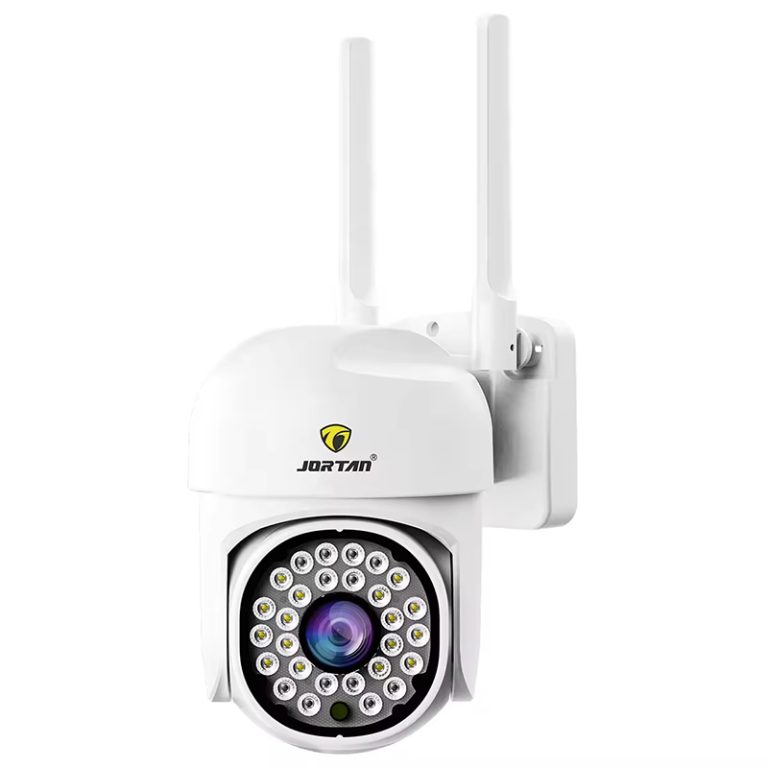
The correction step, for example, changes the clock going forward while records from older recordings retain both their timestamps. Data recorded when the clocks were out of sync carries its erroneous stamps, so that events during any drift period are located by searching in a much larger window, and it belongs in your handover document. Platform-connected sites need one more check of their own. A project delivering to a GB/T28181-style platform, such as Jortan, for example, stamps camera streams for registration and transport against the platform’s clock domain, so the platform layer gets verified too. Camera and NVR agreeing is not the finish line there.
And drift is not a one-time disease. A camera that reboots (watchdog restart, scheduled PoE switch cycle, storm) re-drifts the moment NTP stops working, and NTP stops working silently. The verification belongs on a recurring schedule, monthly at minimum, not only on handover week. The service contract is the natural home for it, priced alongside the lens-cleaning line.
The Evidence Pack at Handover
Before signatures, run one correlated acceptance test. Trigger a single visible event inside the overlapping field of two or more cameras, with the NVR recording the scene. Pull playback of that event from each source. Confirm the overlay times agree within a second or two. Screenshot the comparison. Capture the NTP server string and per-device sync status for the whole fleet. Archive it in the handover pack. That one-page answers the question every later audit asks, which is whether the system’s time was true on the day in question and who verified it and when.
Conclusion
Timestamp drift looks cosmetic right up until playback stops matching the requested event time. It breaks correlated playback at handover and undermines exported evidence afterward, and it accumulates in silence on any device whose NTP status got assumed rather than read back. The correction sequence is short. Single globally available NTP source, same zone & daylight-saving policy across the fleet, camera sync to this special nifty little clock (not each other), then multi-camera playback test with data correlated being all captured as acceptance evidence. The frequency of the check needs to be at least once a month, so put it into the service schedule during opening week because, given that the fleet can pass and fail quietly from one week (week 1)to another by around nine weeks down line, no person in the building will even know about the inability. Feel free to contact us.
FAQ
Q1: Should cameras sync to the NVR or to an NTP server?
A1: To the same NTP server the NVR uses, wherever the camera supports NTP. Chaining cameras to the NVR’s clock adds a hop, and on mixed fleets it builds two time bases that each look correct while disagreeing with each other.
Q2: Why does one camera drift while the fleet stays correct?
A2: That camera usually cannot reach the NTP server (routing, VLAN, or firewall) and has silently fallen back to its internal clock. A firmware update resetting the time settings is the other candidate. Sync status gets read per device, never assumed from the batch.
Q3: How does a project prove timestamp accuracy at acceptance?
A3: Record one simultaneous event across two or more cameras and the NVR, compare overlay times in captured playback, then attach the screenshots and the per-device NTP status pages to the handover pack as the timestamp item.