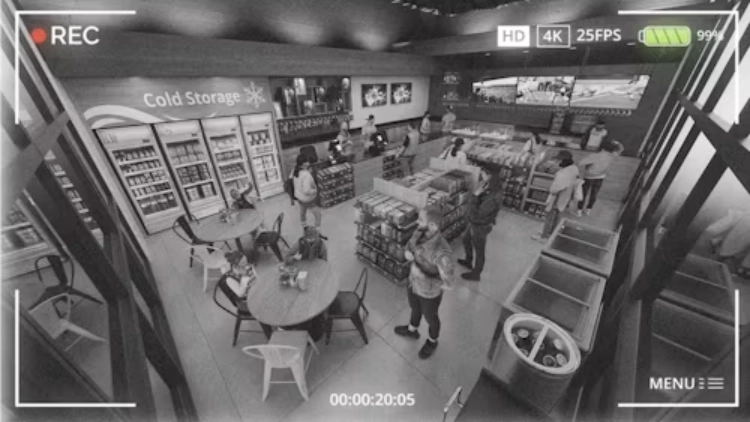
Retail security cameras are easy to overbuy when a store is planned from a ceiling grid instead of customer movement. More camera bodies do not automatically remove blind spots. They can create duplicate views, extra subscriptions or storage demand and a harder job for staff who must find the one useful clip after an incident. A stronger approach starts with the moments that need evidence: entry, checkout, shelf access, stock receiving, staff-only doors and the route between them.
It distinguishes scenarios by their lighting, activity and purpose. It notes that voice-capable cameras can be useful at a cash register or front desk, while smaller shops may choose wireless cameras where interference is limited. Those are directions rather than universal rules. The retail layout, ceiling height, aisle length, merchandising displays and local privacy requirements should decide where a CCTV camera earns its place.
Follow the Store Journey Instead Of the Ceiling Grid
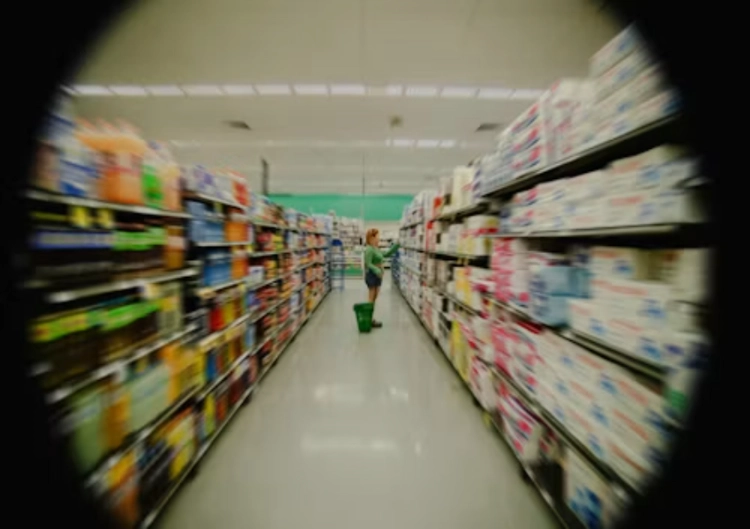
Walk the route a customer, staff member and delivery person take through the store. At the entrance, decide whether the priority is a broad count of arrivals, a clearer face view or both. At the checkout, identify the counter surface, handover area and staff position. In aisles, check whether tall endcaps, promotional stacks or refrigerators block a direct view. In the stock room, focus on the door and the receiving point before adding a wide overview.
Every camera should have a named evidence task. If two cameras show the same empty aisle from almost the same direction, one may be unnecessary. If a single wide camera shows the aisle but not the shelf edge or exit, repositioning it may be more useful than buying another unit. Review the picture at the final mounting height with ordinary merchandise in place; an empty store is a poor test of a retail layout.
Use Lens And View Roles To Avoid Redundancy
A fixed overview keeps context. A closer view protects a transaction point or staff entrance. A movable or multi-lens design can help where the store layout has one busy intersection and several approaches, but it must still be tested for useful detail. The JT-8695PRO dual-camera PTZ is a dual-camera PTZ listing with two 3MP sensors, a 3.6mm plus 6mm lens arrangement, H.265 and local/cloud storage options. That makes it relevant to a store junction where an overview and a closer area are both required, not to every aisle by default.
Check light as carefully as angle. Window glare at the entrance, reflections from refrigerated cases, bright POS screens and low light near a rear door can make a well-positioned camera less useful. Night or after-hours tests should include the actual lighting state. Confirm whether the camera changes between infrared and color illumination, how the scene looks during the switch and whether the recorded clip still supports the intended review.
Put The Budget Into The Gaps That Matter
A limited budget should first protect points where loss, disputes or access events are most likely to occur. That often means a checkout, main entrance, receiving door and stock access before long runs of general aisle coverage. The camera count should rise only when a documented sightline remains weak after a placement adjustment. This keeps the security system focused on evidence rather than filling the ceiling with hardware.
For a larger display floor or an irregular intersection, the Jortan6 three-lens camera combines a three-lens layout with listed 3.6mm and 6mm lenses, H.265, 2.4 GHz WiFi and outdoor-oriented housing details. A retailer should confirm the actual streams, app behavior, mounting position and network conditions before choosing it. The key question is whether the views remove distinct retail blind spots, not whether more lenses sound more complete.
Keep Playback And Staff Use Simple
A store team needs to find a clip quickly after an incident. Name channels by real locations, align the recorder time, record the relevant retention policy and train the responsible person on search and export. Test the app or NVR with the store’s normal network. If local storage is part of the plan, confirm what remains available when internet access drops and how staff can preserve a clip before it is overwritten.
Jortan can be reviewed once the store map identifies its priority evidence points. Buyers can discuss a project configuration with a layout, ceiling heights, counter positions, key product zones, power access and expected storage period. That creates a more useful discussion than asking for a standard number of retail security cameras.
Review After Merchandising Changes
Retail displays change often. Seasonal tables, tall racks, new signs and cooler units can block a camera that worked during opening week. Add a short review to merchandising changes and check whether the entrance, checkout, staff door and highest-risk shelf remain visible. This simple habit usually costs less than adding cameras later to correct several unrecorded gaps.
The goal is not full visual coverage of every square foot. It is a workable record of the points that matter, with enough context to explain what happened. A clear camera plan, correct lens role, sensible storage and trained staff will usually improve store security more than an unplanned extra row of cameras.
Staff workflow can reveal blind spots that a floor plan misses. Ask who opens the store, who receives deliveries, where returns are processed, which shelves are regularly restocked and where customers queue during peak periods. Review footage from those tasks rather than only watching an empty after-hours view. This may show that one existing camera can be retargeted to cover a handoff point or that a new camera belongs at a staff door rather than above another aisle. The retailer should also set a clear procedure for reviewing clips and granting access, so a recorded event is easy to find without giving every employee broad account permissions.
Conclusion
Retail stores reduce blind spots without overbuying by assigning each camera a real evidence job. Start with entry, checkout, stock and staff-access routes; test around shelves, glare and normal displays; then add coverage only where a documented gap remains. That keeps the camera count, storage load and staff review process proportionate to the store.
FAQ
Q1: Where should retail security cameras be placed first?
A1: Start with the entrance, checkout, stock receiving, staff-only doors and routes where a person or product changes hands. Test each view with normal displays in place.
Q2: Can a multi-lens camera replace several store cameras?
A2: It can reduce duplicate mounting points in some layouts, but every lens still needs a useful view, adequate network capacity and a clear storage plan.
Q3: How often should a retail store review camera placement?
A3: Recheck after major merchandising, lighting, shelving or counter changes and after any incident reveals that a key route or handoff point was not visible.