An E27 bulb camera can look easy to sell because the installation story is familiar: remove a lamp, screw in the camera, and connect it to WiFi. Retail returns often begin when the real socket, ceiling angle, voltage, app, or clearance does not match the customer expectation. For distributors, the validation task is to prove that the product fits common stock items and that the packaging explains the limits without making the camera sound harder than it is.
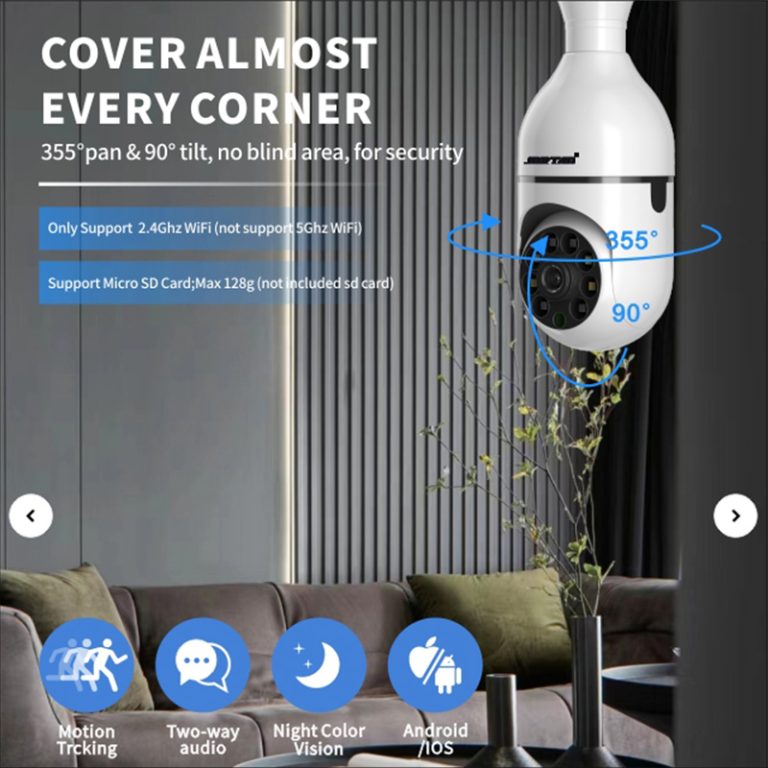
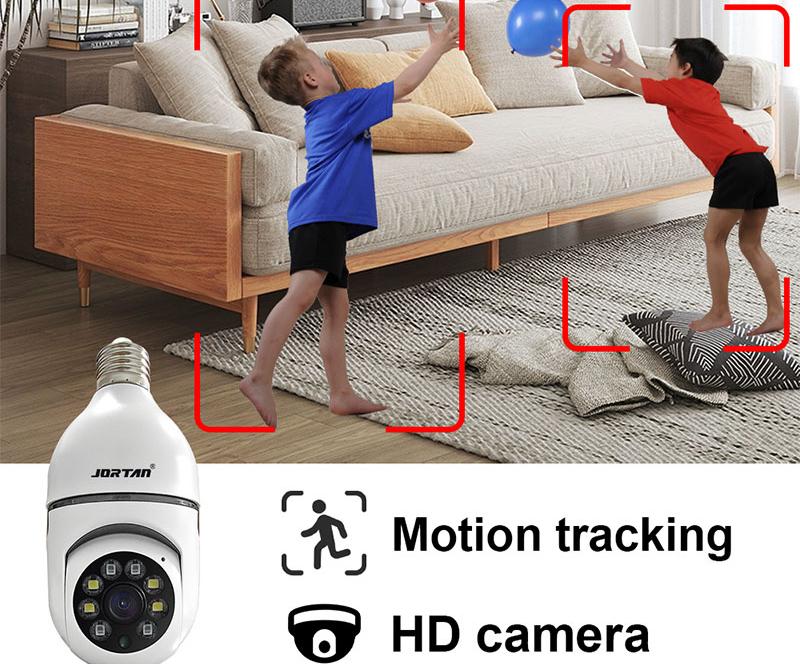
JT-8177 is described with an E27 bulb holder, 1080P recording, pan and tilt, 2.4G WiFi, AP hotspot access, and dual-light night video using four infrared LEDs and four white LEDs. These details create a useful retail test plan. They also show why a bulb camera should be evaluated as a complete installation, not just as a camera module in a product photograph.
Use representative E27 sockets from the target market. Check thread engagement, body diameter, ceiling clearance, lamp shade interference, and the direction of the lens after the unit is fully seated. Record whether the camera hangs straight or needs a different adapter. If the product is sold across markets, verify the included power and socket information with the supplier rather than assuming that every E27 fixture behaves the same way.
Validate WiFi and AP Setup in Retail Conditions
A bench next to the router says little about a camera installed at a ceiling corner. Test pairing at the intended distance, behind the normal wall materials, and with ordinary network traffic. Record the 2.4G network name, password process, reset path, AP hotspot behavior, live view delay, and replay result. The package should make clear whether the AP mode is a setup aid, a local access path, or both.
Wifi camera testing should include an unsuccessful pairing as well as a successful one. A distributor needs to know how the app reports a wrong password, a weak signal, or a network that uses a band the camera does not support. Write the recovery steps in the retail support guide. A short, accurate insert can prevent a return that is really a setup mismatch.
Check privacy and account transfer too. A returned camera may still be linked to a previous account if the reset process is not completed. The supplier should confirm the reset behavior, app ownership, firmware update path, and whether the unit can be re-paired after a buyer changes routers. These are retail quality fields even though they do not appear on the camera body.
Test Pan-Tilt and Night Light Together
Pan and tilt performance needs a clear end point. Move the camera through its useful range, stop at several angles, and confirm that the image remains stable without cable strain or housing contact. Then repeat the test in a real room with a ceiling, wall, and furniture. A bulb camera may cover a broad area, but a lamp shade or high mounting position can create a blind zone beneath the lens.
Treat Dual-Light Behavior as a Scene Test
The JT-8177’s published dual-light arrangement gives the retailer a concrete demonstration asset. Show a daytime view, an infrared night view, and a white-light-assisted view. Check faces, doorway movement, reflective surfaces, and the effect of switching on people in the room. Do not describe full-color output as a fixed result without stating the light condition and distance used in the test.
Le JT-8177 can support the retail specification, while the compact 8185XM caméra sans fil offers a different reference point for distributors comparing a bulb format with a conventional WiFi body. Keeping the two roles separate makes the product line easier to explain and gives the sales team a real comparison instead of a generic claim that every WiFi camera is simple.
Turn Validation Into a Private Label Decision
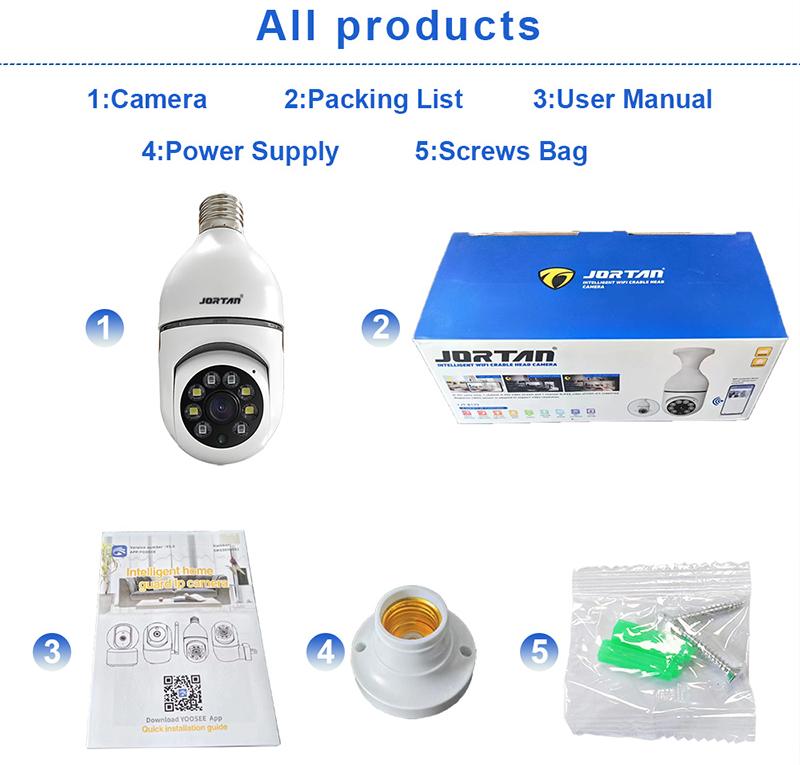
Retail packaging should show the socket requirement, WiFi band, AP or reset behavior, basic mounting limits, storage path, and support contact. The quick-start guide should match the app version shipped with the batch. If packaging, logo, carton size, or accessory treatment changes, approve the complete kit again. A private label camera is a service promise as much as a hardware item.
Jordan private label support can be discussed with the fit record, app test, night samples, and packaging draft in one review. Factory capability, mold and injection experience, assembly, and product configuration are valuable only when the approved retail unit matches the production unit. Ask for a written change-notification path before repeat orders.
The retail acceptance file should end with a simple decision: suitable for the standard E27 range, suitable only with an adapter or warning, or not suitable for the target channel. That decision protects the distributor’s return rate and keeps the product promise aligned with the installation reality.
Retail teams should also test the return and re-pair process. Remove the unit from the original account, reset it, pair it to a second network, and confirm that the new buyer can complete setup without the first account. Record the app screens used for that process. A smooth first installation is helpful; a clean handover is what keeps a returned unit from becoming dead stock.
Jordanie provides a broader supplier reference, while a private label consultation can be used to discuss carton language, logo treatment, app instructions, and the approved E27 warning text. Those items should be reviewed with the camera sample because a packaging change can alter the customer’s expectation about power, WiFi, or night-light behavior.
A retail launch file should keep the socket samples, pairing result, night clips, packaging proof, and change log together. When a distributor expands into another market, the same file makes it clear which parts can be reused and which electrical, network, language, or fixture questions need a fresh check.
Conclusion
The JT-8177 is easier to sell when the E27 promise is verified at three levels: physical fit, network setup, and image behavior after dark. Retail validation should use representative sockets and ordinary installation conditions, then carry the result into the carton, app guide, and support plan. That is how a convenient form factor becomes a dependable SKU rather than a return risk.
FAQ
Q1: Can any E27 bulb socket take the JT-8177?
A1: The product uses an E27 holder, but socket condition, clearance, voltage, fixture angle, and shade interference still need checking in the target market.
Q2: Is AP hotspot access the same as normal WiFi operation?
A2: No. AP access and normal router pairing should be tested and described separately in the setup guide.
Q3: What should a distributor record during retail validation?
A3: Record fit, power, pairing, reset, app version, pan-tilt movement, night-light behavior, storage, packaging, and the conditions used for every sample result.