
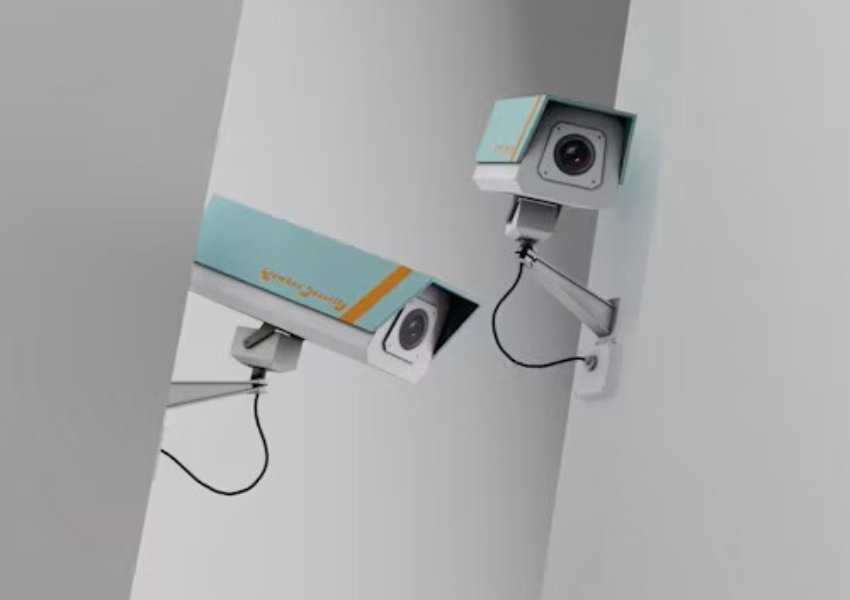
A PoE camera that works on the bench but fails after installation is rarely a mystery in the strict sense. The fault is usually hidden somewhere between the switch port and the recorder: a cable termination, a power budget, a damaged connector, a negotiation mismatch, or a camera placed in a harsher environment than the sample test. The first response should be a structured isolation process, not an immediate product return.
An IP camera system combines image capture, processing, compression, network transmission, storage, and mounting hardware. The project knowledge base treats those as connected parts of one system, which is why a PoE problem must be checked at the power, network, and recording layers together.
Start With the Power Path
A PoE switch can provide data and electrical power through one cable, but the switch, port, cable, connector, and camera must agree on the expected method. A camera that repeatedly restarts may have a power-path problem even when its link light appears briefly. Record the switch model, port state, cable length, injector or midspan use, and the number of active devices before changing the camera.
Check the Port Budget and Negotiation
Confirm the switch total budget and the remaining budget on the actual port group. A quotation should not rely only on the maximum wattage printed on a switch. Night illumination, heaters, microphones, speakers, IR movement, or a motorized function can change the draw. Test one camera, then add cameras until the failure appears. If only the last few devices fail, the switch budget or port group is a stronger suspect than the camera body.
Use a known-good patch lead and a short temporary cable. If the camera becomes stable, keep the device in place and work back through the permanent route. A different model such as the JT-8161QJ outdoor camera can serve as a comparison unit, but the comparison only helps when the switch port and cable are held constant.
Treat Cabling As A Field Component
Cabling is often installed by one party and commissioned by another, so the handover record matters. A cable can pass a basic continuity check and still perform poorly under distance, moisture, bend pressure, poor termination, or electromagnetic noise. Inspect both ends, the patch panel, the weather joint, and any coupler hidden above a ceiling or inside a pole.
Separate Cable Faults From Port Faults
Move the camera to a verified port with a short cable. Then move a verified camera to the original cable route. This two-way swap identifies whether the fault follows the camera or stays with the path. Repeat the test after the camera reaches its normal night state. A cable route that works during daytime commissioning may expose a marginal connection when the camera adds illumination load.
Outdoor camera bodies are commonly designed around weather-resistant housing directions such as IP66 or IP67, but the rating does not repair a loose RJ45 joint or a cable entry that collects water. The installer should photograph the connector, seal, bracket, and cable loop for the acceptance file. That evidence is more useful than a general statement that the camera is weatherproof.
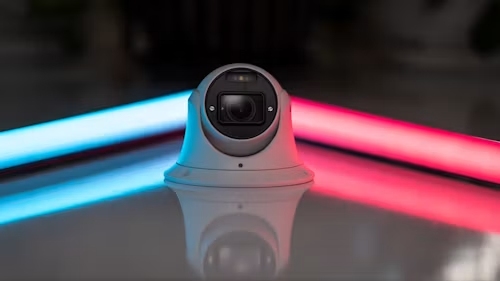
Check the Network and Recorder Separately
A camera can have stable power while the NVR shows a lost stream. Check link speed, address assignment, duplicate addresses, VLAN rules, gateway settings, and the recorder channel configuration. Do not assume that a camera disappearing from the NVR has stopped operating. A local web page, a switch table, or an independent test laptop can reveal where the path breaks.
Confirm the Stream and Storage Route
Network cameras are devices that process and compress video before sending it to an NVR or related platform. Record the main stream, substream, codec, frame rate, and storage response. If the live picture is present but recording stops, the fault may sit in the recorder, disk, stream profile, or network load rather than at the PoE port.
A model such as the JT-8695PRO outdoor camera should be checked with the exact NVR, firmware, cable route, and night configuration that the project will use. Product pages help define the model scope; they cannot replace a site acceptance test.
Use a Repeatable Eight-Check Handover
The eight checks are: switch budget, port negotiation, cable and termination, water protection, address assignment, stream profile, NVR recording, and night-load stability. Put them in that order because it moves from physical causes to software causes. Record the result, not just a tick mark. Include the device address, firmware, port number, cable label, test time, and screenshot or meter reading when available.
Escalate With Evidence
When a supplier needs to review a PoE problem, send the full test record: switch make and model, port budget, cable result, camera log, NVR behavior, power cycle result, and whether the problem changes at night. Jortan can be reviewed for a replacement or alternate form factor, while a PoE installation review request should describe the exact field condition instead of only saying that the camera is offline.
A useful commissioning file also records what did not fail. If the same port runs another camera, if the same camera records on a short cable, or if the failure appears only after IR activates, those details narrow the next action. Integrators can then separate a defective unit from a site condition and protect the project schedule.
Conclusion
PoE camera failures after installation should be isolated across power, cabling, network, stream, recorder, and environmental load. Check the switch budget and negotiation first, then swap known-good components, verify the permanent route, and test recording after dark. A structured handover record gives integrators a faster recovery path and gives suppliers enough evidence to support the right remedy.
FAQ
Q1: Why does a PoE camera work before installation but fail on site?
A1: The permanent cable, connector, switch budget, address plan, NVR configuration, weather exposure, or night load may differ from the bench test. Compare the field path with a known-good short path.
Q2: Can a link light prove that PoE is working correctly?
A2: No. A link light suggests a network connection, but it does not prove stable power under the camera’s full workload or successful recording at the NVR.
Q3: What should an integrator send to a supplier during escalation?
A3: Provide the switch and port details, cable test, camera firmware, address, NVR behavior, power-cycle result, night behavior, and photos of the installation path.








